
Your Standing Desk Is Less Secure Than You Think
The Bluetooth controller on my new standing desk accepts commands from anyone in range, no pairing needed. So I wrote a Mac menu bar app to switch between sitting and standing, then an iPhone app that finds the desks around you.
I recently bought a standing desk from DeskHaus. Electric legs, a motor, and a keypad with a small display. It’s a good desk. The keypad also has Bluetooth, and I wanted to know what I could do with that.
It turns out anyone can connect to it. No pairing, no PIN, no button to press on the desk. Any phone or laptop in range can read the height and move the desk. The old joke holds: the S in IoT stands for security.
So I wrote DeskBar. It started as a Mac menu bar app that switches my desk between sitting and standing. Then it grew an iPhone app that finds the desks around you, reads their height and, if you want, moves them.
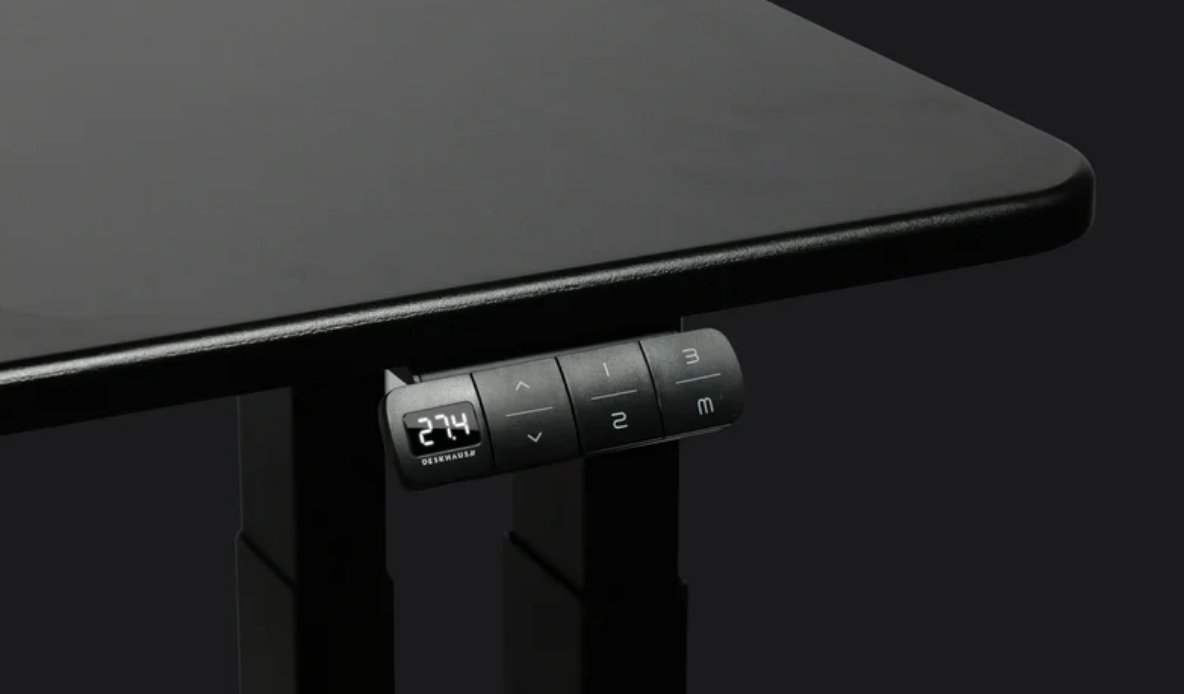
The Mac app
I mostly wanted one thing: switch between sitting and standing from my Mac, without reaching for the keypad. The first version was one Swift file of about 150 lines, and it’s still the Mac app today.
It lives in the menu bar and shows the desk’s height. The menu has Stand and Sit presets, Stop, “Save Current Height as…”, Forget Desk and Open at Login.
The app remembers the first desk it connects to and sticks with it. Otherwise it could just as easily pick up a neighbor’s desk through the wall.
The iPhone app
Once the Mac app worked, I got curious about what else was out there. The iPhone app scans for desks nearby, reads their height and lists them by distance.
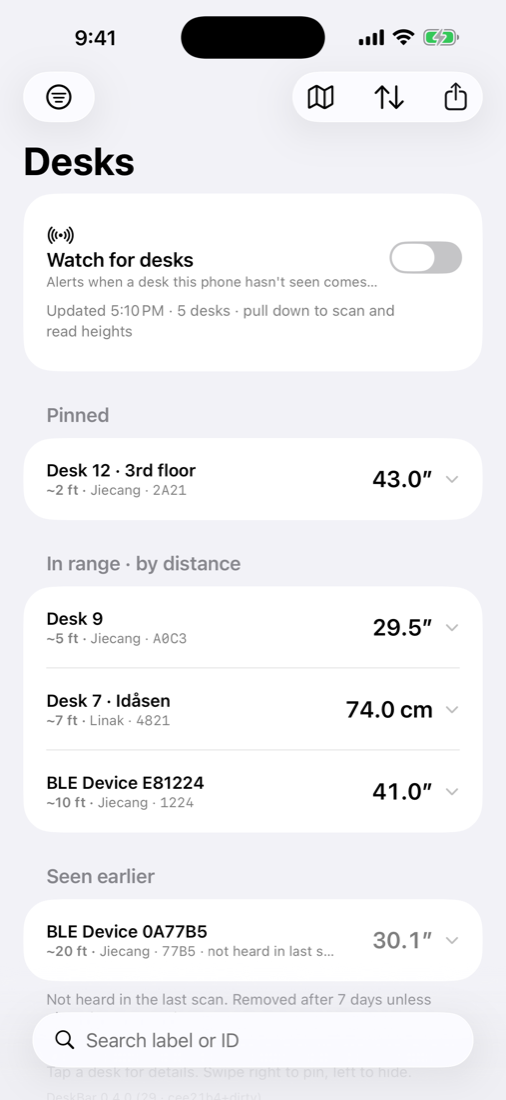
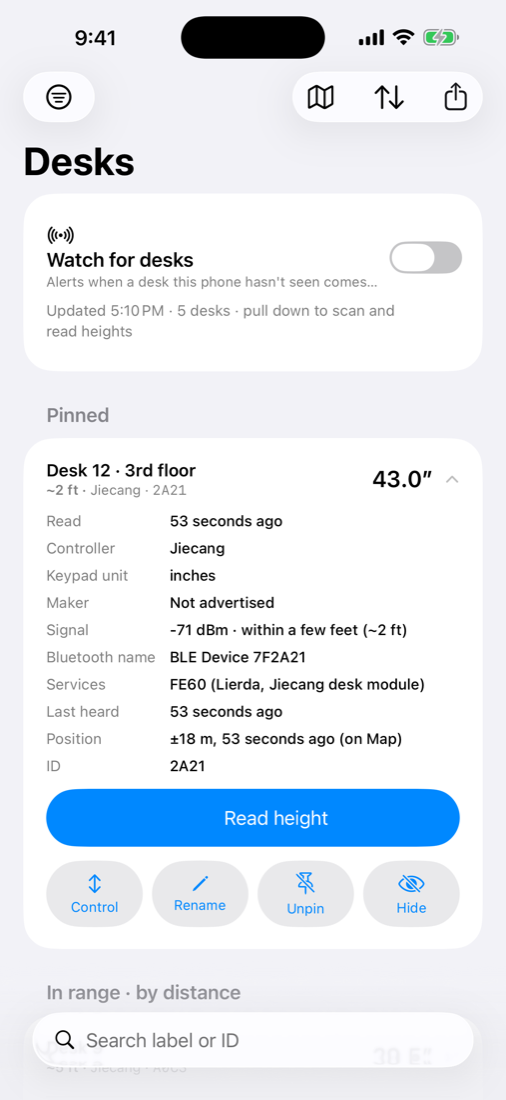
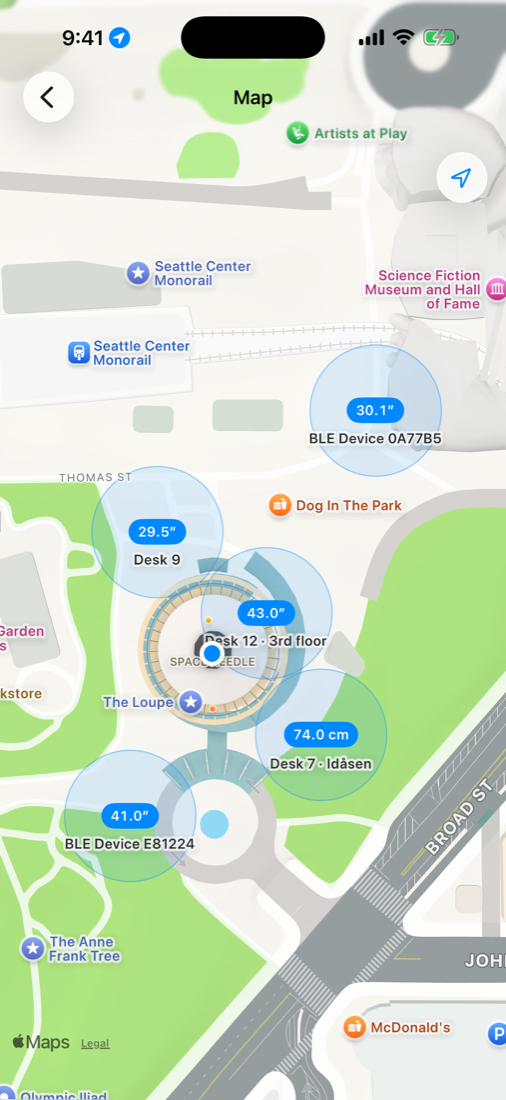
Pull down to scan. Each desk shows a rough distance, its height and a short ID. Tap one for details, or to control it: hold Raise, Lower, Sit or Stand, and the desk moves while your finger is down.
Watch mode keeps scanning in the background and alerts you when the phone hears a desk it hasn’t seen before. The map pins each desk where the phone was when it heard the desk loudest. You can also export everything to a CSV.
Allegedly, if you stand next to an office building in downtown Seattle, you’ll see a lot of interesting things on that screen. Allegedly.
It reads Linak desks too, like the IKEA Idåsen, once they’re paired with the phone. Anything else that looks like a desk gets listed with what it advertises, in case someone wants to add support for it.
A note on manners. Every Jiecang desk in range will answer this app. Reading the height of a desk in an office is harmless. Moving someone else’s desk is not: there might be a monitor arm against a wall, or a cat under it. Only move desks you own.
Under the hood
The keypad is made by Jiecang, which builds controllers for a lot of desk brands. Uplift, Desky and DeskHaus ship close to the same electronics under different logos, which is why the app isn’t tied to one brand. Linak, the other big one, is the brand that asks you to pair.
I didn’t have to reverse engineer much. Other people had already mapped the protocol: uplift-ble, ha-desky and ha-desky-ble. DeskBar builds on their notes.
The Bluetooth module advertises a service with the 16-bit UUID FE60. You write commands to the FE61 characteristic, and the desk sends replies on FE62. Every command is a short frame with a checksum. Pick one to see how it’s packed:
Moves to a height in millimeters and stops there.
- F1 F1 Every command from the phone starts with these two bytes.
- 1B 1B means go to height.
- 02 2 bytes of data follow.
- 04 DD 1245 is 04DD in hex, sent as two bytes, high byte first.
- FE 1B + 02 + 04 + DD = 1FE, and only the low byte FE is kept.
- 7E Closes the frame.
The desk reports its height in tenths of whatever unit the keypad shows. Mine is set to inches, so 49.0” arrives as 490. In centimeters the same height arrives as 1245.
A few details that took more than one try:
- The keypad ignores a move while its display is asleep, so the apps send a wake frame first and the move 300 ms later.
- The desk takes one Bluetooth connection at a time. While the Mac app is connected, the phone can’t get in, and neither can anyone else. As far as I can tell, that’s the only access control this desk has.
- Holding a button repeats the move frame every 100 ms, the way the physical keypad does. My first version sent them as fast as the timer fired. Bluetooth writes queue in order, so on release the stop frame could wait behind a backlog of moves. Now a held move skips a tick until the previous write is acknowledged. There’s also a 15-second cutoff in case a release is ever missed.
- iOS hides MAC addresses from apps, but Jiecang modules put the tail of theirs in their name (“BLE Device 9A1C27”). That’s where the short IDs come from.
- The distance is a guess from signal strength, using a log-distance model fitted to measurements in my house. It tells near from far, and it’s often off by half.
Try it
The code is at dreamiurg/deskbar. There’s nothing in the App Store, so you build it yourself. The README has the steps, or point Claude Code at the repo and ask it to build the app for you.
I built this for my own desk. If yours has a Jiecang keypad, it will probably just work. If it doesn’t, the iPhone app will at least tell you what your desk advertises. Have fun with it.